Biggest Reason You Are Not Making Money Online

|
Everybody is keen to make money online these days. With the current financial crises and a really bad job market, it’s no wonder more people are turning to internet to find a way to earn extra money. Unfortunately, most people who attempt to make money online will fail.

There are so many ways to make extra money that nearly anyone can find a method that suits their skills and capability. The reason for people failing in their efforts of making money online is not that they couldn’t find an appropriate way or that they couldn’t manage time for their new venture. No, the most common reason for many of us failing to make online money is because we FAIL to ACT. We keep searching continuously for different methods of making money, we find some that we consider to be good methods, we keep reading and learning about them for days, weeks and months, yet we fail to put any of those learned lessons into use.

I myself was a victim of that. Some years ago I got interested in making online money. So, like anybody else in that kind of a situation, I too started looking for helpful information and means of making money online. I joined a couple of online money making forums. I also subscribed to a couple of blogs that I thought were offering really good information about making money online and they proved to do so.

I did read a lot of good content and found some great ways to make online money. Some of them even provided simple step-by-step guides. Yet, I failed to make any money, because I didn’t put any of those methods to practice.

I kept looking for better ways in anticipation of finding a better and quicker way of making online money. Perhaps I was looking for the “magic button” so I could push it and make money online. Of course, I never found one! I learned a lot of things on the subject of making money online, different ways and strategies, different tools and so on. But, non of that information was going to help me make money if I wasn’t going to take any action.

All I’m trying to tell you is to stop searching for an easier quicker way of making money. Pick one method and give it your best. It won’t help working on it for a while, only to give it up and look for another simpler way.

There is no doubt that there are many different ways of making online money. While some of them are quick, others are not. By simply knowing these methods you are not going to make any money. You must act if you like to make money. There is no point in continuing your search if you aren’t going to use your new found information.

Don’t waste time reading blogs and forums in search of quick ways to make money that will make you rich overnight. Please understand this, there is no such method! The only thing that can help you make money is your action.

It’s almost certain that any money making system will take time and effort before you start getting results. You just have to remain committed. Thankfully, most of the methods of earning money don’t cost you anything except your time, which you would otherwise be wasting looking for that magical way of making quick money any way.

In short, JUST DO IT. If you are really interested in making money online, you must act. Look for a simple way of making online money and give it your best. If it works, you earn money and you can take it a step further and earn more money. If it fails, look for another method. Rest assured that you’ll surely find a way that works well for you and your unique situation.

4 Ways to Find Guest Blogging Opportunities

|
Guest blogging has quickly become one of the most popular methods for promoting a business or increasing traffic to an already established blog.

Not only does it direct immediate traffic to your blog after a reader finishes the blog post and clicks your link to find more of your content, the support given to your site by the host site via the link is very important to Google, and eventually, in terms of how Google ranks your site.

So, given the knowledge that it’s beneficial in more than one way, if you have not yet explored guest blogging for your own site, it might be the next best thing you can do! Not sure where to start? Try some of these tips to get started.

1) Ask Your Blogging Friends

When just starting out, the best thing you can do is to guest blog on sites that you are already friends with. This way you’ll already know the content type, tone and style of the blog and can write appropriately to match, with very little effort. You’ll also know what’s already been covered so you can avoid duplicating content.

This will allow you to build up a solid portfolio, which you can then use to show potential sites that you do not already know as proof that you are a well qualified guest blogger. I started out blogging specifically about patio heaters and had to begin with working friends within the heater industry before branching out into other areas like blogging.

2) Find Related Sites via Blog Rolls

The next easiest way to find sites is to read the blog roll lists on the sites that you are currently guest writing for. This gives you a direct connection to the new blog. You can even begin your pitch with something like, “You may have seen me on ___________ (fill in with the name of the blog that links out to his blog).” This potential blogger will feel like he is repaying a favor to the original blogger who linked out to his site, simply by allowing you to write for him. He will also have seen your writing validated by being published on a site, and he will be that much more likely to accept a guest post from you.

3)Take Advantage of Google

Google will become your best friend after you have exhausted blogs you know and the blogs that those blogs know. You can easily type in your content topic, such as “Linux” in connection with “guest blog.” Your search query will look something like this: “Linnux AND guest blog.” By typing this in, Google will provide you with a list of other people who have written a guest blog about Linnux. You can see what sites they wrote for and, knowing that those sites accept guest bloggers, attempt to get your own writing posted on those sites.

4) Search Forums

Sites like myblogguest.com actually have forums where people post “Want Ads” for guest bloggers. They are typically broken down into category, so if you are hoping to write about Technology or about WordPress, you can go to the appropriate category and find blog owners who are actively seeking out guest bloggers to contribute valuable content to their sites.

Remember, no matter who you contact, be extremely professional and attempt to answer all their questions before they have a chance to ask them. By doing this, you will save them time in writing you a lengthy email asking details you could have already provided. Provide them with excellent content and chances are good they will recommend you to other sites as well. As long as you’re writing good content and keeping a very professional demeanor, you shouldn’t have any problem finding excellent quality sites to write for! So go get started and get ready for higher traffic to start coming in!

Google Chrome Standalone Offline Installer

|


When you download the ChromeSetup.exe from Google Chrome's site, you're only downloading the installer for Google Updater. The updater will downloads Google Chrome's full setup and then install the software.

Samsung Galaxy Pocket GT-S5300 Hard Reset

|


Warning : by performing the hard reset will erase all fo personal data in internal storage, e.g. contact, message, reminder etc. Please do full backup first.

To perform the hard reset on Samsung Galaxy Pocket GT-S5300, there's two methodes :

Comparison of Cable Modem over ADSL

|

In the narrowband access technology from the existing optical access solutions to end the process of evolution, there will be many very viable transition technology, which, based on ADSL technology and the telephone line cable of Cable Modem based technology is the mostpotential.


ADSL line rate with upper and lower asymmetric features, so its application is mainly applied to provide users with Internet access and VOD on demand and other services, does not apply to LAN interconnection services.Provide Internet access services using "ADSL + ATM / Ethernet" approach.ADSL client remote device configuration, the Council configure DSLAM (ADSL central office equipment), between them, with ordinary telephone twisted pair connections.

FTTH vs. HFC

|

Since the early launches of Fiber to the Home (FTTH), advocates of this system architecture have touted its superior bandwidth as one of the main justifications for naming it the broadband network architecture of the future. However, while it is indisputable that fiber information capacity is vastly greater than that of a coaxial cable entering the home, today’s FTTH implementations yield no clear advantage over the near term possibilities for existing coaxial infrastructure. There are several points of confusion that arise when comparing cable’s Hybrid Fiber/Coax (HFC) architecture to a telco’s FTTH implementation.


Much of the confusion begins with comparing the number of subscribers in a given FTTH system to the number in a given HFC service group. Some writers on the subject begin with the assumption of 500 subscribers per cable TV service group, based on the late 90’s architecture statements from some of the largest cable system operators at the time.

GPON vs. GEPON

|

PON is the acronym for Passive Optical Network is a point-to multipoint network. A PON consists of optical line terminal at the service provider’s central office and many number of optical network units near end users. The goal of PON is to reduce the amount of fiber.


Here are the list of advantages of GEPON over GPON and its differences.

Standards of PON (Passive Optical Network):

Maxis Fiber To The Home

|

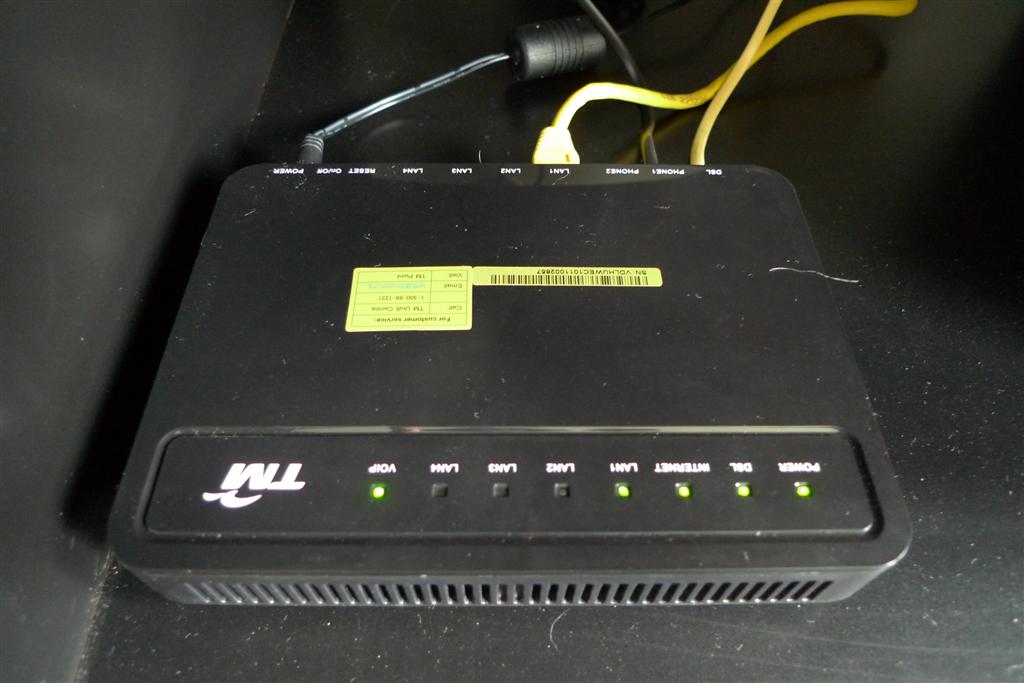
Equipment Involved : TM Huawei Echolife HG655a VDSL Modem, Maxis Thomson TG784n Router, TP-Link WR842ND Router (CUSTOM, can be any brand or model, but NOT ADSL MODEM ROUTER.

Maxis Default Installation

Huawei HG655A

Difference between UniFi and Maxis VDSL connection :
UniFi VoIP is directly connected to TM's Huawei VDSL Modem, while Maxis VoIP is connected to Maxis Thomson Router.
Different VLAN Tagging,
Maxis : VLAN 621, VLAN821, VLAN822

After Modification :

NOTE : Maxis Thomson router is connected to LAN2 (For VoIP Purpose only), Your CUSTOM Router is connected to LAN3.

Huawei HG655A BTU with Custom Router

|

This guide is provided as it is to those Unifier in Malaysia hooked to the newest fiber optic network of Telekom Malaysia the High Speed Broadband.

Huawei HG655A

This guide is solely to configure the Huawei HG655A BTU with custom router or with any router wireless AP.

I am here providing a guide how to connect to UniFi by using your own ROUTER. You may follow the step by step guide below how to re-configure by removing the VLAN-500 Bridging in Huawei HG655a VDSL modem. So you can use any router to connect to the Internet. Don't worry about the IPTV it will still work. Please read below.

Huawei HG655A BTU As Modem Router

|

This guide is provided as it is to those Unifier in Malaysia hooked to the newest fiber optic network of Telekom Malaysia the High Speed Broadband.

Huawei HG655A

This guide is solely to configure the Huawei HG655A BTU as a modem router.

There are several forum members from Lowyat requested for a guide that how to configure Huawei HG655a BTU as a modem router. So that user can directly connect their PC BTU device Huawei HG655A loacal area network or the LAN ports.

Any Router Should Work with Unifi

|

Method to use any router with unifi (IPTV-compatible) for ZTE ZXDSL 931Dll (VDSL Modem)

Actually this concept is the same with unifi.stanleytiang.com. It’s for vdsl modem brand Huawei HG655a. But, my tutorial is for vdsl modem ZTE ZXDSL 931Dll.

Unifi Standard Installation

  • 500 = vlan data (internet)
  • 600 = vlan IPTV
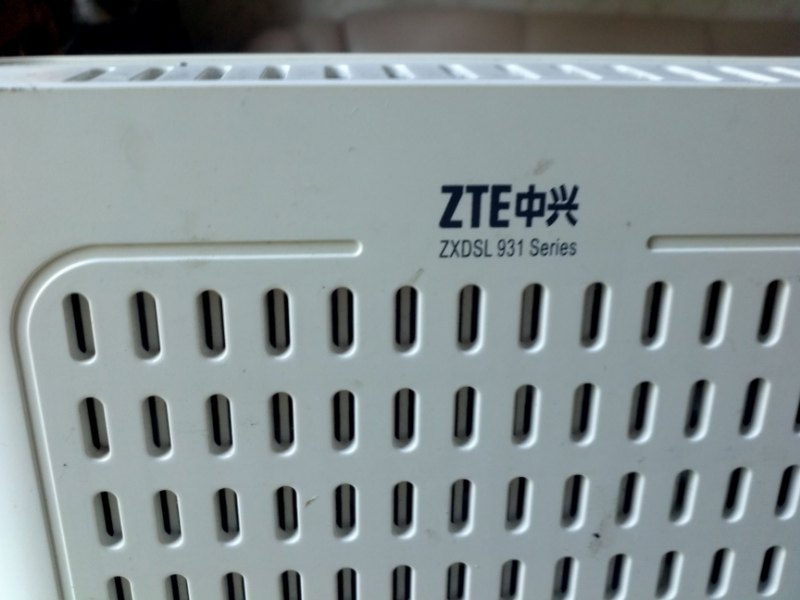
ZTE ZXDSL 931 Series

Unifi ZTE VDSL with Any Router

|

ZTE VDSL 931 Series with DD-Wrt

I’ve configured the ZTE 931Dll VDSL modem to be used with our standard DD-WRT router. This required modifying the ZTE settings to perform VLAN bridging for the DD-WRT router.

Unifi High Speed Broadband in Danau Permai

|

After a prolonged delay, TM, the national communication company is bringing High speed broadband to Danau Permai Residents.


For more details on their offering and packages. Check on their website at www.unify.my

and their packages here: http://www.unifi.my/unifi/index.php?option=com_content&view=article&id=76&Itemid=206

Unifi Hypp HD IPTV Set-Top Box Huawei EC2108E

|

Unifi Hypp HD IPTV Set-Top Box

TM Unifi Hypp HD IPTV Set-Top Box from Huawei, A set-top box (STB) or set-top unit (STU) is an information appliance device that generally contains a tuner and connects to a television set and an external source of signal, turning the source signal into content in a form that can then be displayed on the television screen or other display device. Set-top boxes can also enhance source signal quality. They are used in cable television and satellite television systems, as well as other uses.

ZTE ZXDSL 931DII

|

TP-Link Unifi Firmware

The ZTE ZXDSL 931DII is a Wireless VDSL2 router modem, which is an advanced all-in-one gateway incorporating VDSL2 modem, The 931DⅡoffers VoIP access that feature full compliance with industry standards. It is suitable for a wide range of application scenarios like residential (in-home) and commercial (offices, apartments, hotels, warehouses) applications. At user side, it offers high-speed VDSL2 access service for residential and small business customers.

TP-Link WR740N v4.23 Install LuCI Webgui

|

On my previous post you can check the first part of this article on how to upgrade your TP-Link WR740N v4.23 with OpenWrt trunk firmware if you want to used it on Unifi if you are living in Malaysia especially in Kuala Lumpur. This is an alternative to D-Link DIR-615 that claims by many Unifi netizens full of bugs. Another good thing about TP-Link WR740N is the price you can just get it from LowYat Plaza at around 47RM. Yes so cheap, there is an alternative if you want to flashed it also with DD-WRT firmware.

TP-Link WR740N OpenWrt Firmware

Here's how to install the Luci Web graphical user interface (GUI), first is you must have an internet connection on another router. Your TP-Link WR740N now OpenWrt wireles router the wan port color in blue must be hook to another router lan port that has an internet connection so that we can tha opkg update.

  • Make sure you have a LAN line with internet access
  • Connect the device's WAN port to the current LAN line
  • Connect PC to the device's LANport
  • PuTTY login, wait for a while, try to ping something (eg, www.yahoo.com) make sure it has internet access
TP-Link WR740N OpenWrt Firmware

After we confirm that we have an internet connection, we can now update by typing "opkg update" this will  install the following LuCI package.

TP-Link WR740N OpenWrt Firmware

TP-Link WR740N OpenWrt Firmware

After the update have finished we may now enable the http server just follow the snapshot below. The following script to enable and autostart the uhttpd this the webgui or the http server, then reboot the device

TP-Link WR740N OpenWrt Firmware

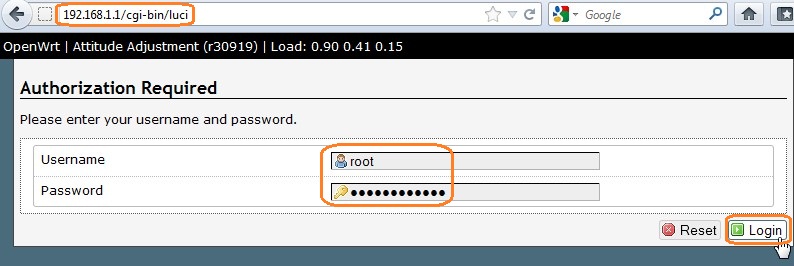
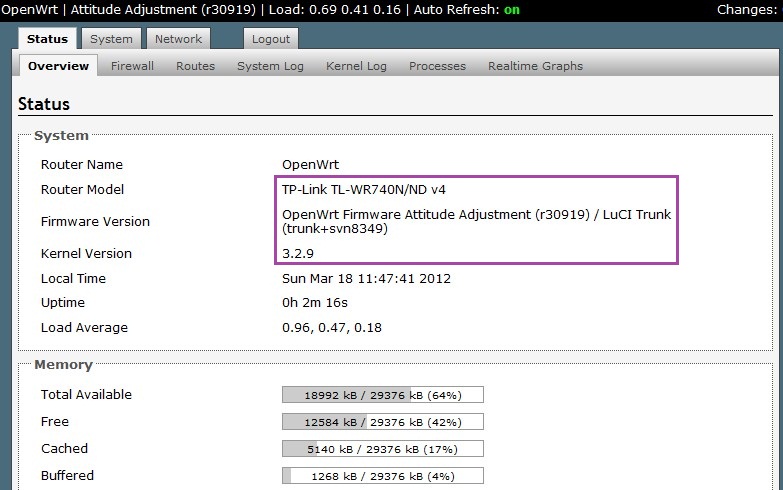
After rebooting, the LuCI webgui will be accessible at http://192.168.1.1 now you are free to play the the TP-Link WR740N fully loaded with OpenWrt trunk firmware enjoy using the OpenWRT !

TP-Link WR740N OpenWrt Firmware

TP-Link WR740N OpenWrt Firmware

TP-Link WR740N v4.23 OpenWrt Trunk Firmware

|

TP-Link WR740N OpenWrt Firmware

Today I just wanted to share with you my TP-Link WR740N v4.23 which I am going to flashed with OpenWrt Trunk firmware. First we going to download from the official site of Openwrt the firmware. Now we are downloading the trunk version from the following link:ds.openwrt.org/snapshots/trunk/ar71xx/ (use "xxx-tl-wr740n-v4-squashfs-factory-xxxx")

Asus Eee PC USB Boot Install Vista

|

This guide will allow you to install windows vista using a USB flash drive. You will need at least a 4 gig thumb drive for this to work. It is up to you if you would like to try this on your EEE but if you do you will need to use vlite to trim it down. Like most of the tutorials on this site it isn't exclusive to the EEE (this one isn't even recommended unless your technically inclined) and it will work on other PCs that meet the requirements for Windows Vista.

Asus Eee PC USB Boot Install Vista

Insert your USB flash drive and enter the following commands: (please note this list assumes that your usb flash drive will be seen as disk 1 to confirm that it is type "list disk" after you've entered the diskpart command)

Vista on ASUS Eee PC

|

Windows Vista Asus Eee PC

Sure you’ve all seen Windows XP running on the Asus EeePC, and today I wanted to show you not XP but Windows Vista running on this neat little device. Since pictures are worth more than 1000 words, here you go:

USB Boot Install Windows Vista Asus Eee PC

|

Just to prove that it can be done, Ive installed a copy of Windows Vista Home Premium on the little Asus EEE PC 900. The specs are as follows: 900Mhz Celeron Mobile 1GB Ram 20GB Flash Hard drive The HDD is made up of a 4GB + 16GB module. The OS is installed on the 16GB module.

USB Boot Install Windows Vista Asus Eee PC 900

Its a little slow as expected but for music, DVDs, photos, MS Office and the Internet its fine. It wont do high end PC tasks but that is to be expected. The machine will run TV tuners, synchronise with devices with Windows drivers such as PDAs, cell phones, ipods, web cams, etc that the Linux based machine may not. Since I had to buy a copy of Windows anyway and Vista and Xp were the same price, I decided to opt of Vista for this machine.